npcsh Guide
Full documentation for the NPC Shell — agents, jinxes, orchestration, NQL, knowledge graphs, and more.
NPC Data Layer
The core of npcsh's capabilities is powered by the NPC Data Layer. Upon initialization, a user will be prompted to make a team in the current directory or to use a global team stored in ~/.npcsh/ which houses the NPC team with its jinxes, models, contexts, assembly lines. By implementing these components as simple data structures, users can focus on tweaking the relevant parts of their multi-agent systems.
Creating Custom Components
Users can extend NPC capabilities through simple YAML files:
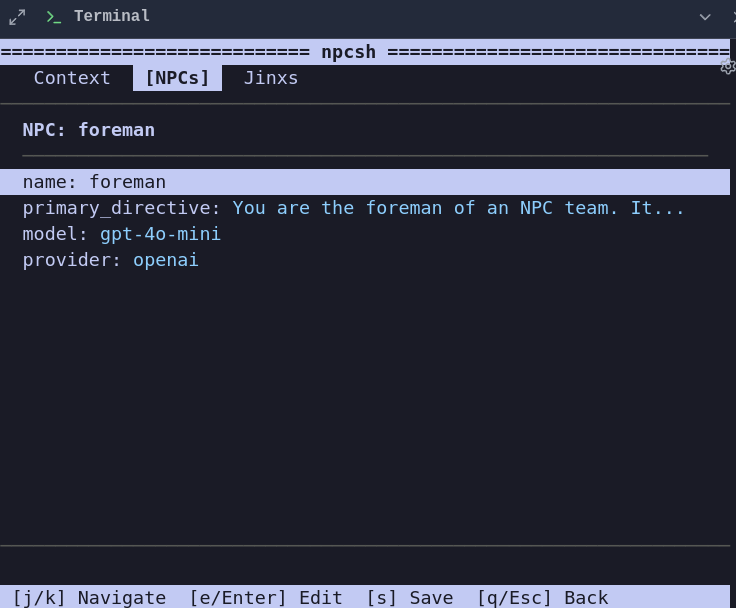
- NPCs (.npc): are defined with a name, primary directive, and optional model specifications. NPC files are executable — add
#!/usr/bin/env npcas the first line and run them directly:./myagent.npc "what's the weather?" - Jinxes (.jinx): Jinja execution templates that provide function-like capabilities and scaleable extensibility through Jinja references to call other jinxes to build upon. Jinxes are also executable — add
#!/usr/bin/env npcand run them directly:./sh.jinx bash_command="echo hello". Jinxes are executed through prompt-based flows, allowing them to be used by models regardless of their tool-calling capabilities, making it possible then to enable agents at the edge of computing through this simple methodology. - Context (.ctx): Specify contextual information, team preferences, MCP server paths, database connections, and other environment variables that are loaded for the team or for specific agents (e.g.
GUAC_FORENPC). Teams are specified by their path and the team name in the<team>.ctxfile. Teams organize collections of NPCs with shared context and specify a coordinator within the team context who is used whenever the team is called upon for orchestration. - SQL Models (.sql): NQL (NPC Query Language) models combine SQL with AI-powered transformations. Place
.sqlfiles innpc_team/models/to create data pipelines with embedded LLM calls.
The NPC Shell system integrates the capabilities of npcpy to maintain conversation history, track command execution, and provide intelligent autocomplete through an extensible command routing system. State is preserved between sessions, allowing for continuous knowledge building over time.
This architecture enables users to build complex AI workflows while maintaining a simple, declarative syntax that abstracts away implementation complexity. By organizing AI capabilities in composable data structures rather than code, npcsh creates a more accessible and adaptable framework for AI automation that can scale more intentionally. Within teams can be subteams, and these sub-teams may be called upon for orchestration, but importantly, when the orchestrator is deciding between using one of its own team's NPCs versus yielding to a sub-team, they see only the descriptions of the subteams rather than the full persona descriptions for each of the sub-team's agents, making it easier for the orchestrator to better delineate and keep their attention focused by restricting the number of options in each decisino step. Thus, they may yield to the sub-team's orchestrator, letting them decide which sub-team NPC to use based on their own team's agents.
Importantly, users can switch easily between the NPCs they are chatting with by typing /n npc_name within the NPC shell. Likewise, they can create Jinxes and then use them from within the NPC shell by invoking the jinx name and the arguments required for the Jinx; /<jinx_name> arg1 arg2
Team Orchestration
NPCs work together through orchestration patterns. The forenpc (specified in your team's .ctx file) acts as the coordinator, delegating tasks to specialized NPCs and convening group discussions.
How NPCs and Jinxes Relate
Each NPC has a set of jinxes they can use, defined in their .npc file:
# corca.npc
name: corca
primary_directive: "You are a coding specialist..."
model: claude-sonnet-4-20250514
provider: anthropic
jinxes:
  - lib/core/python
  - lib/core/sh
  - lib/core/edit_file
  - lib/core/load_file
When an NPC is invoked, they can only use the jinxes assigned to them. This creates specialization:
- corca has coding tools (python, sh, edit_file, load_file)
- plonk has browser automation (browser_action, screenshot, click)
- alicanto has research tools (python, sh, load_file)
- frederic has generation tools (vixynt, roll, sample)
The forenpc (orchestrator) can delegate to any team member based on their specialization.
Skills — Knowledge Content for Agents
Skills are jinxes that serve instructional content instead of executing code. They use the skill.jinx sub-jinx (just like code jinxes use python.jinx or sh.jinx) and return sections of methodology on demand.
Because skills are jinxes, they're assigned to agents the same way — through the jinxes: list in .npc files:
# reviewer.npc
name: reviewer
primary_directive: "You review code and provide feedback."
jinxes:
  - lib/core/sh
  - lib/core/python
  - skills/code-review
  - skills/debugging
The agent sees code-review and debugging in its tool catalog alongside sh and python. When it encounters a review task, it calls the skill to get methodology, then uses sh or python to do the actual work.
Two Authoring Formats
SKILL.md folder — a folder with a SKILL.md file (folder name = skill name):
jinxes/skills/debugging/
  SKILL.md             # YAML frontmatter + ## sections
  scripts/             # Optional
  references/          # Optional
---
description: Debugging methodology. Use when asked to debug or troubleshoot.
---
# Debugging

## reproduce
First, reproduce the bug consistently.
Find the minimal reproduction case.

## isolate
Binary search through the codebase (git bisect).
Comment out components to isolate the cause.

## fix
Fix the root cause, not the symptom.
Add a test that fails without the fix.
.jinx file — a regular jinx with engine: skill steps:
jinx_name: git-workflow
description: "Git workflow best practices. [Sections: branching, commits, merging]"
inputs:
- section: all
steps:
  - engine: skill
    skill_name: git-workflow
    skill_description: Git workflow best practices.
    sections:
      branching: |
        Use feature branches off main/develop.
        Name branches: feature/, fix/, chore/
      commits: |
        Imperative summary under 72 chars.
        One logical change per commit.
      merging: |
        Prefer squash merges for feature branches.
        Delete branches after merging.
    scripts_json: '[]'
    references_json: '[]'
    assets_json: '[]'
    section: '{{section}}'
Using Skills
In npcsh, skills work as slash commands like any jinx:
/debugging                       # All sections
/debugging -s reproduce          # Just the reproduce section
/debugging -s list               # Available section names
/code-review -s correctness      # Just the correctness section
In the agent loop, the agent calls skills automatically when relevant — requesting specific sections to minimize token usage (progressive disclosure).
Importing External Skills
Add SKILLS_DIRECTORY to your .ctx file to load skills from an external directory:
All SKILL.md folders and .jinx skill files in that directory are loaded alongside the team's own jinxes. This lets you maintain a single skills library shared across multiple teams.
Delegation with Review Loop
The /delegate jinx sends a task to another NPC with automatic review and feedback:
How it works:
1. The orchestrator sends the task to the target NPC (e.g., corca)
2. The target NPC works on the task using their available jinxes
3. The orchestrator reviews the output and decides: COMPLETE or needs more work
4. If incomplete, the orchestrator provides feedback and the target NPC iterates
5. This continues until complete or max iterations reached
┌─────────────────┐     task      ┌─────────────────┐
│   Orchestrator  │ ────────────▶ │   Target NPC    │
│    (sibiji)     │               │    (corca)      │
│                 │ ◀──────────── │                 │
│   Reviews work  │    output     │  Uses jinxes:    │
│   Gives feedback│               │  - python       │
└─────────────────┘               │  - sh           │
        │                         │  - edit_file    │
        │ feedback                └─────────────────┘
        ▼
   Iterate until
   task complete
Deep Research
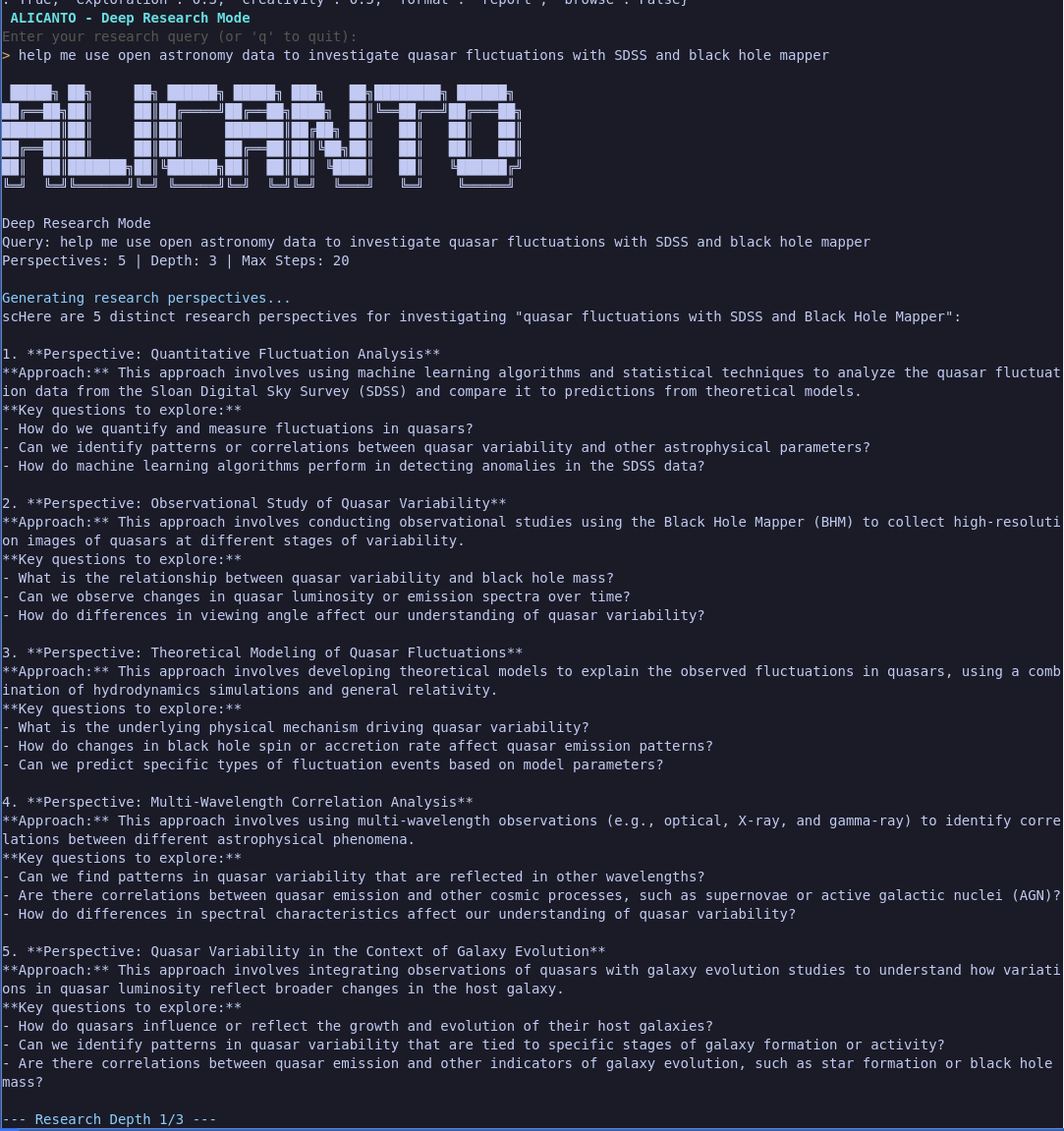
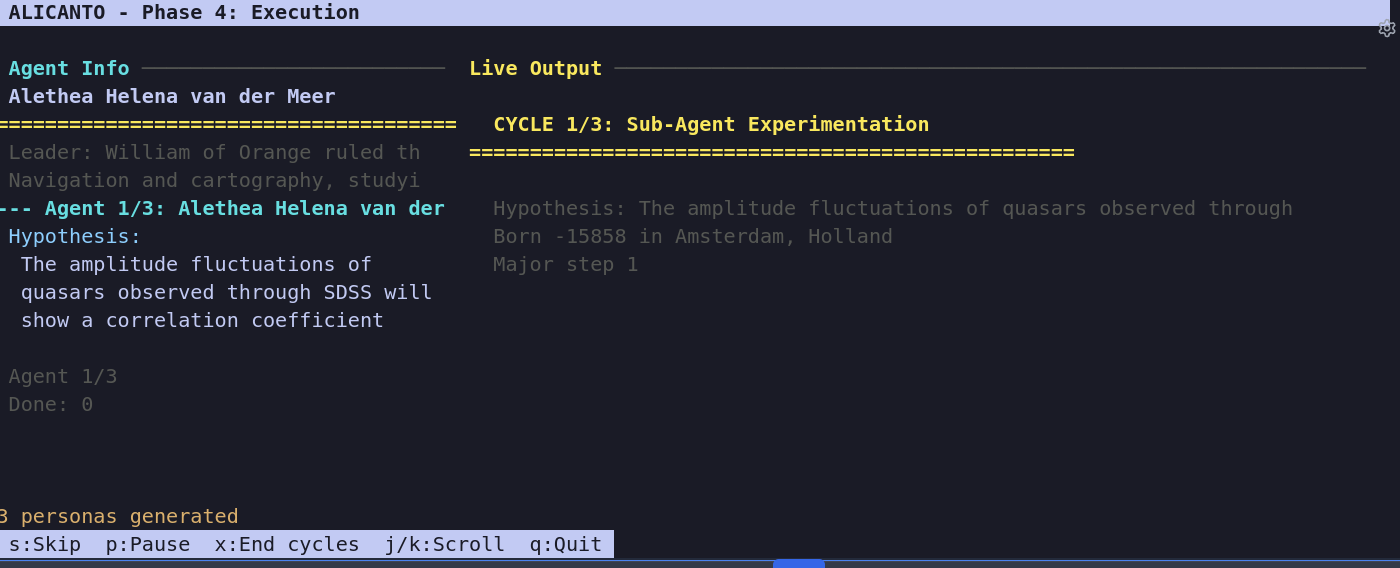
The /deep_research mode runs multi-agent deep research — generates hypotheses, assigns persona-based sub-agents, runs iterative tool-calling loops, and synthesizes findings.
Convening Multi-NPC Discussions
The /convene jinx brings multiple NPCs together for a structured discussion:
How it works: 1. Each NPC contributes their perspective based on their persona 2. NPCs respond to each other, building on or challenging ideas 3. Random follow-ups create organic discussion flow 4. After all rounds, the orchestrator synthesizes key points
Visualizing Team Structure
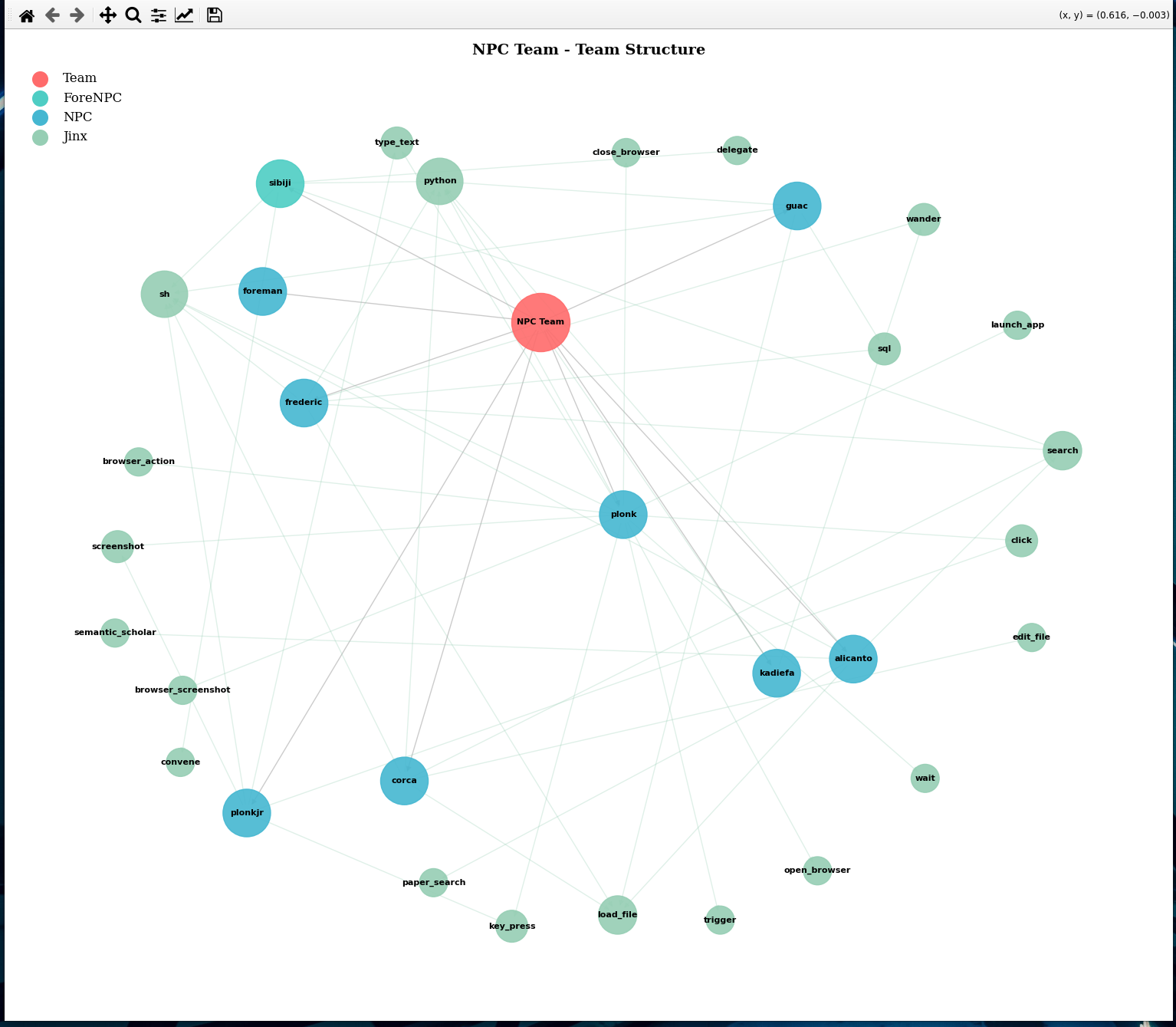
Use /teamviz to see how your NPCs and jinxes are connected:
This generates two views: - Network view: Organic layout showing NPC-jinx relationships - Ordered view: NPCs on left, jinxes grouped by category on right
NQL - SQL Models with AI Functions
NQL (NPC Query Language) enables AI-powered data transformations directly in SQL, similar to dbt but with embedded LLM calls. Create .sql files in npc_team/models/ that combine standard SQL with nql.* AI function calls, then run them on a schedule to build analytical tables enriched with AI insights.
How It Works
NQL models are SQL files with embedded AI function calls. When executed:
- Model Discovery: The compiler finds all
.sqlfiles in yourmodels/directory - Dependency Resolution: Models referencing other models via
{{ ref('model_name') }}are sorted topologically - Jinja Processing: Template expressions (
{% %}) are evaluated with access to NPC/team/jinx context - Execution Path:
- Native AI databases (Snowflake, Databricks, BigQuery): NQL calls are translated to native AI functions (e.g.,
SNOWFLAKE.CORTEX.COMPLETE()) - Standard databases (SQLite, PostgreSQL, etc.): SQL executes first, then Python-based AI functions process each row
- Materialization: Results are written back to the database as tables or views
Example Model
{{ config(materialized='table') }}

SELECT
    command,
    count(*) as exec_count,
    nql.synthesize(
        'Analyze "{command}" usage pattern with {exec_count} executions',
        'sibiji',
        'pattern_insight'
    ) as insight
FROM command_history
GROUP BY command
Enterprise Database Support
NQL automatically translates your nql.* function calls to native database AI functions under the hood. You write portable NQL syntax once, and the compiler handles the translation:
| Database | Auto-Translation | Your Code → Native SQL |
|---|---|---|
| Snowflake | Cortex AI | nql.synthesize(...) → SNOWFLAKE.CORTEX.COMPLETE('llama3.1-8b', ...) |
| Databricks | ML Serving | nql.generate_text(...) → ai_query('databricks-meta-llama...', ...) |
| BigQuery | Vertex AI | nql.summarize(...) → ML.GENERATE_TEXT(MODEL 'gemini-pro', ...) |
| SQLite/PostgreSQL | Python Fallback | SQL executes first, then AI applied row-by-row via npcpy |
Write models locally with SQLite, deploy to Snowflake/Databricks/BigQuery with zero code changes—the NQL compiler rewrites your AI calls to use native accelerated functions automatically.
NQL Functions
Built-in LLM functions (from npcpy.llm_funcs):
- nql.synthesize(prompt, npc, alias) - Synthesize insights from multiple perspectives
- nql.summarize(text, npc, alias) - Summarize text content
- nql.criticize(text, npc, alias) - Provide critical analysis
- nql.extract_entities(text, npc, alias) - Extract named entities
- nql.generate_text(prompt, npc, alias) - General text generation
- nql.translate(text, npc, alias) - Translate between languages
Team jinxes as functions: Any jinx in your team can be called as nql.<jinx_name>(...):
Model references: Use {{ ref('other_model') }} to create dependencies between models. The compiler ensures models run in the correct order.
Running Models
# List available models (shows [NQL] tag for models with AI functions)
nql show=1

# Run all models in dependency order
nql

# Run a specific model
nql model=daily_summary

# Use a different database
nql db=~/analytics.db

# Schedule with cron (runs daily at 6am)
nql install_cron="0 6 * * *"
Working with NPCs (Agents)
NPCs are AI agents with distinct personas, models, and tool sets. You can interact with them in two ways:
Switching to an NPC
Use /npc <name> or /n <name> to switch your session to a different NPC. All subsequent messages will be handled by that NPC until you switch again:
You can also invoke an NPC directly as a slash command to switch to them:
One-Time Questions with @
Use @<npc_name> to ask a specific NPC a one-time question without switching your session:
@corca can you review this function for bugs?
@frederic what's the derivative of x^3 * sin(x)?
@alicanto search for recent papers on transformer architectures
The NPC responds using their persona and available jinxes, then control returns to your current NPC.
Available NPCs
| NPC | Specialty | Key Jinxes |
|---|---|---|
sibiji |
Orchestrator/coordinator | delegate, convene, python, sh |
corca |
Coding and development | python, sh, edit_file, load_file |
plonk |
Browser/GUI automation | browser_action, screenshot, click, key_press |
alicanto |
Research and analysis | python, sh, sql, load_file |
frederic |
Math, physics, music | python, vixynt, roll, sample |
guac |
General assistant | python, sh, edit_file, load_file |
kadiefa |
Creative generation | vixynt |
All Commands
| Command | Description |
|---|---|
/deep_research |
Multi-agent deep research — hypotheses, persona sub-agents, paper writing |
/mcp_shell |
MCP-powered agentic shell — chat, tool management, server controls |
/convene |
Multi-NPC structured discussion with live trains of thought |
/spool |
Chat session with fresh context, file attachments, and RAG |
/pti |
Pardon-the-interruption reasoning mode |
/computer_use |
GUI automation with vision |
/wander |
Exploratory thinking with temperature shifts |
/yap |
Voice chat — continuous VAD listening, auto-transcribe, TTS |
/guac |
Interactive Python REPL with LLM code generation |
/kg |
Knowledge graph browser — facts, concepts, links, search, graph |
/kg sleep |
Evolve knowledge graph through consolidation |
/kg dream |
Creative synthesis across KG domains |
/memories |
Memory browser — browse, approve, reject, filter by status |
/nql |
Database browser and NQL SQL model runner |
/papers |
Multi-platform research paper browser |
/arxiv |
ArXiv paper browser |
/git |
Git integration TUI — status, log, branches, stash, cherry-pick file picker |
/build |
Build team to deployable format (flask, docker, cli, static) |
/team |
Team config browser — context, NPCs, jinxes |
/config |
Interactive config editor |
/reattach |
Resume previous conversation sessions |
/delegate |
Delegate task to NPC with review loop |
/web_search |
Web search |
/db_search |
Database search |
/file_search |
File search |
/vixynt |
Generate/edit images |
/roll |
Video creation studio |
/crond |
System task manager (cron, daemons, processes) |
/sample |
Context-free LLM prompt |
/serve |
Serve NPC team as API with OpenAI-compatible endpoints |
/compile |
Compile NPC profiles |
/set |
Set config values — /set model qwen3.5:2b, /set provider ollama |
/teamviz |
Visualize team structure |
/ots |
Screenshot analysis |
/models |
Browse available models |
/chat |
Switch to chat mode |
/cmd |
Switch to command mode |
/switch |
Switch NPC |
/edit |
Edit NPC, jinx, context, or file — /edit npc, /edit jinx, /edit ctx |
/new |
Create new NPC, jinx, or file — /new npc, /new jinx, /new file |
/ask_form |
Structured form input for agents to gather user data |
/extract_memories |
Extract memories from recent conversations |
/reload |
Reload team jinxes and NPCs — /reload, /reload npc name |
/repo_issues |
Fetch GitHub issues and run LLM analysis on each |
/sync |
Sync npc_team files from repo to home |
Most commands launch full-screen TUIs — just type and interact. For CLI usage with npc, common flags include --model (-mo), --provider (-pr), --npc (-np), and --temperature (-t). Run npc --help for the full list.
/wander — Creative Exploration
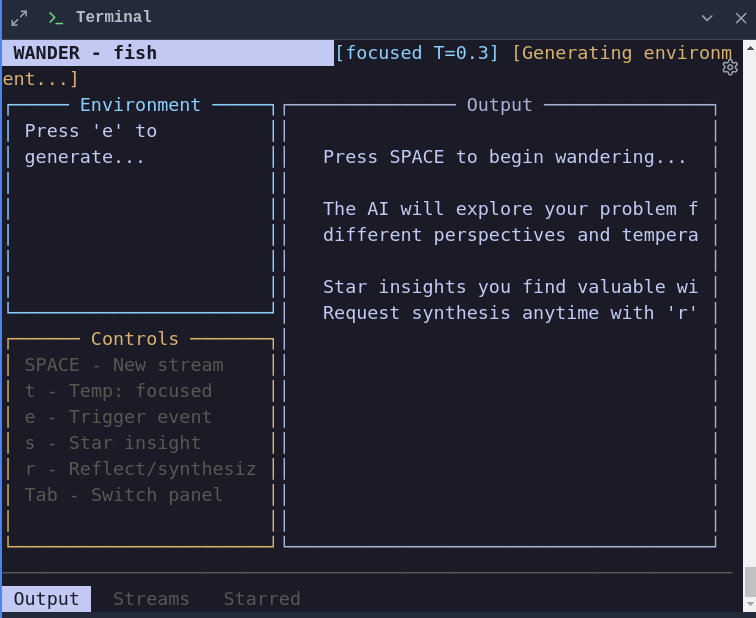
Wander mode shifts the model's temperature up and down as it explores a problem, producing divergent ideas followed by convergent synthesis. The live TUI dashboard shows the current temperature, accumulated thoughts, and a running summary.
/guac — Interactive Python REPL
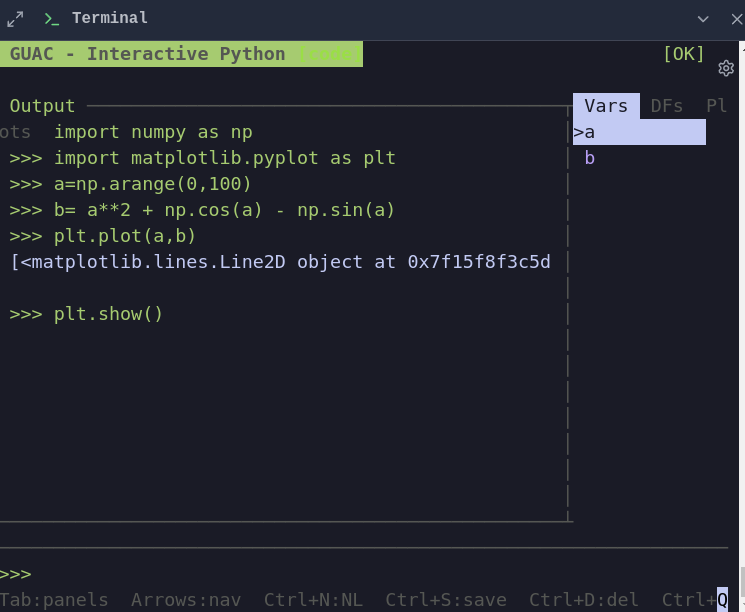
Guac is an LLM-powered Python REPL with a live variable inspector, DataFrame viewer, and inline code execution. Describe what you want in natural language and the model writes and runs the code. Variables persist across turns. Drop file paths or type run file.py to load and execute scripts. Keys: Tab toggles natural language mode, Ctrl+P cycles panels.
/arxiv — Paper Browser
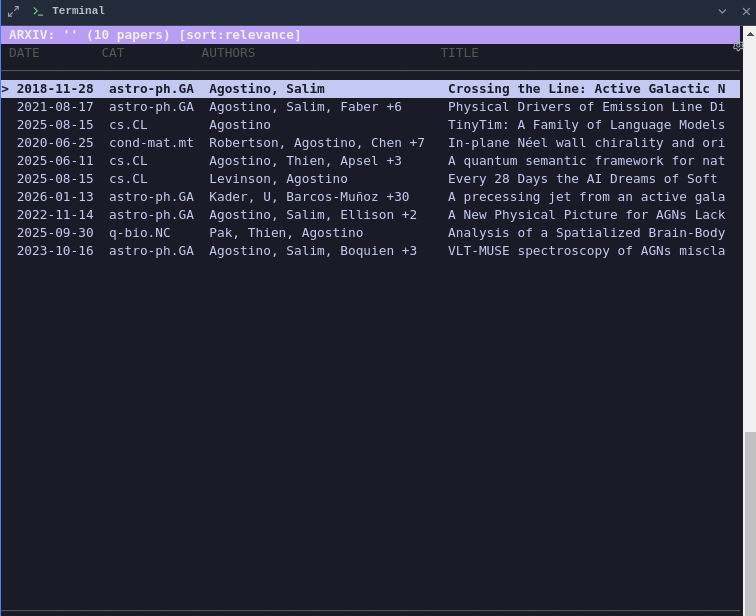
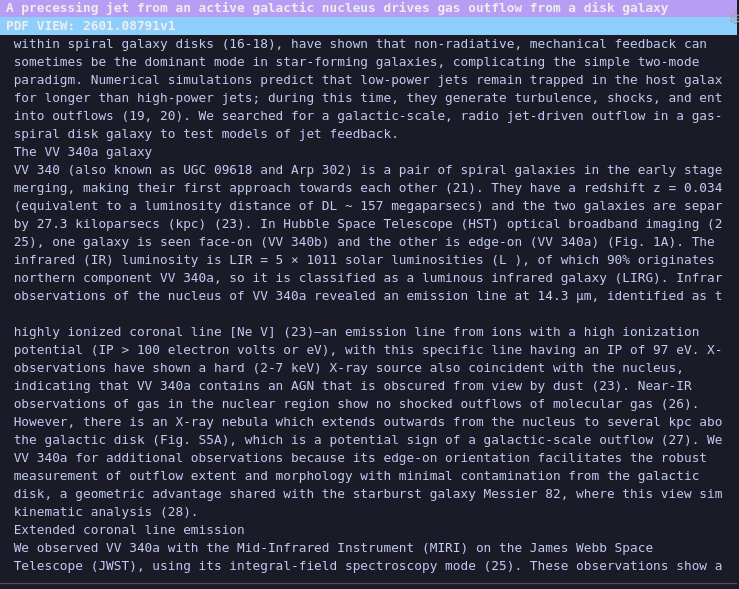
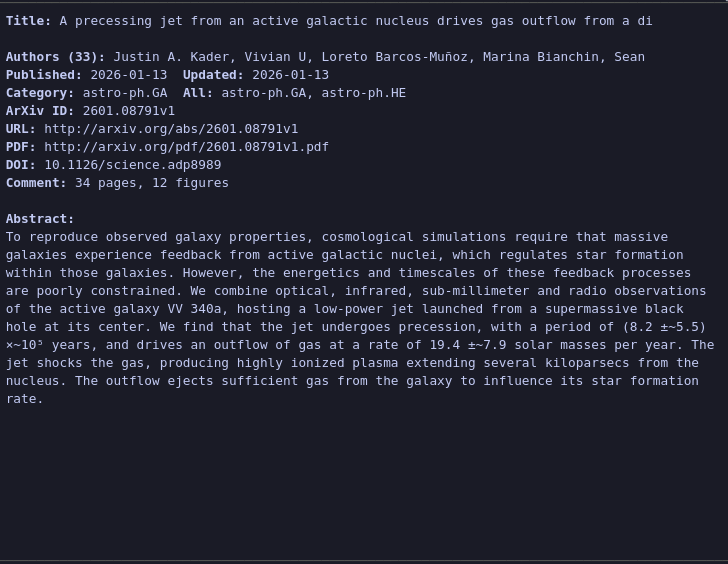
Browse, search, and read arXiv papers from the terminal. The TUI shows search results, full paper metadata, and rendered abstracts with j/k navigation and Enter to drill in.
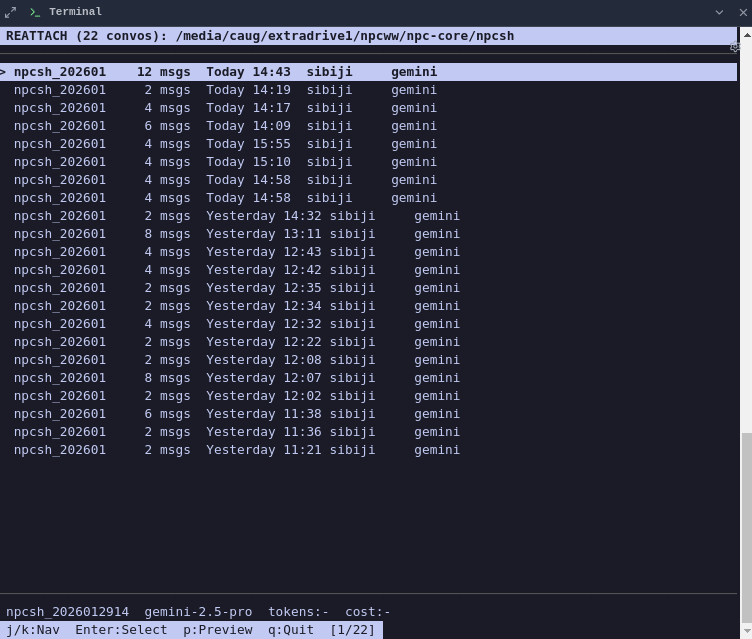
/reattach — Session Browser
Resume previous conversation sessions. The TUI lists past sessions with timestamps and previews — select one to pick up where you left off.
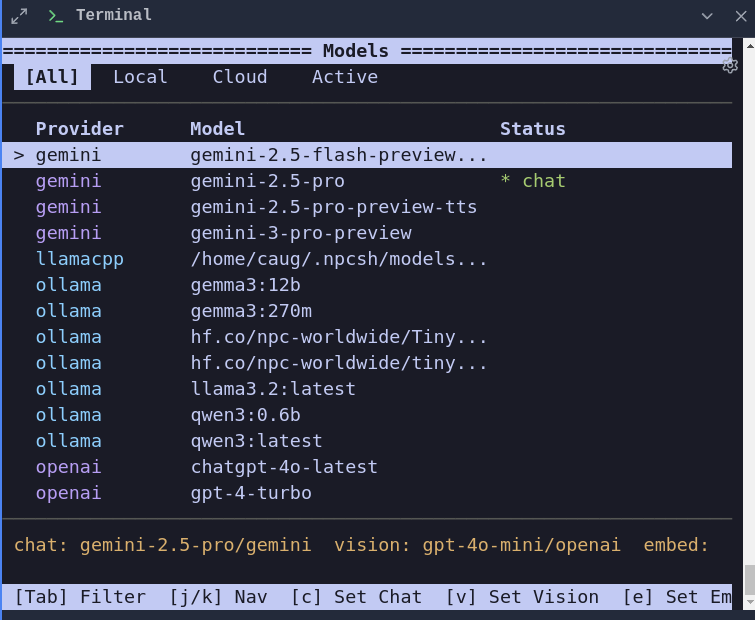
/models — Model Browser
Browse all available models across providers (Ollama, OpenAI, Anthropic, etc.), see which are currently active, and set new defaults interactively.
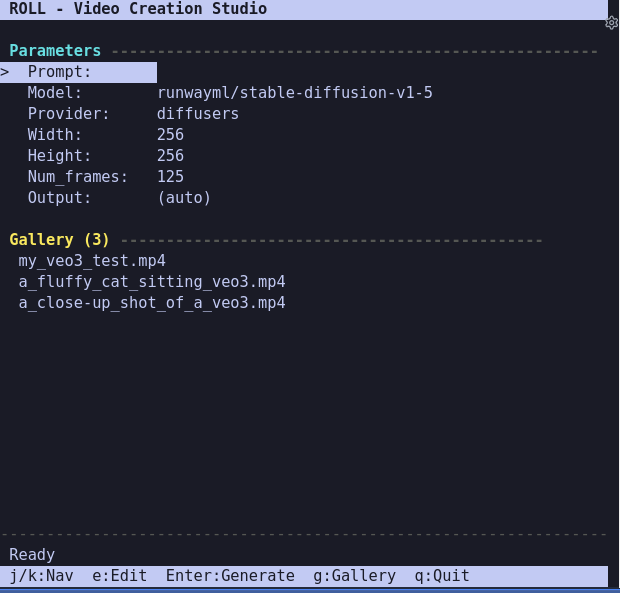
/roll — Video Creation Studio
Interactive TUI for generating videos with parameter controls. Edit prompt, model, provider, dimensions, and frame count, then generate. Includes a gallery browser for previously generated videos.
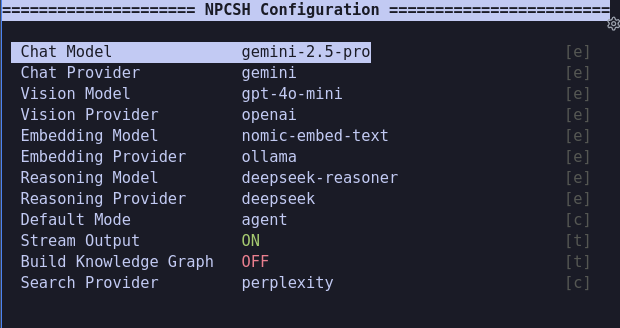
/config — Configuration Editor
Interactive TUI for editing ~/.npcshrc settings — models, providers, modes, and toggles. Navigate with j/k, edit text fields, toggle booleans, and cycle choices.
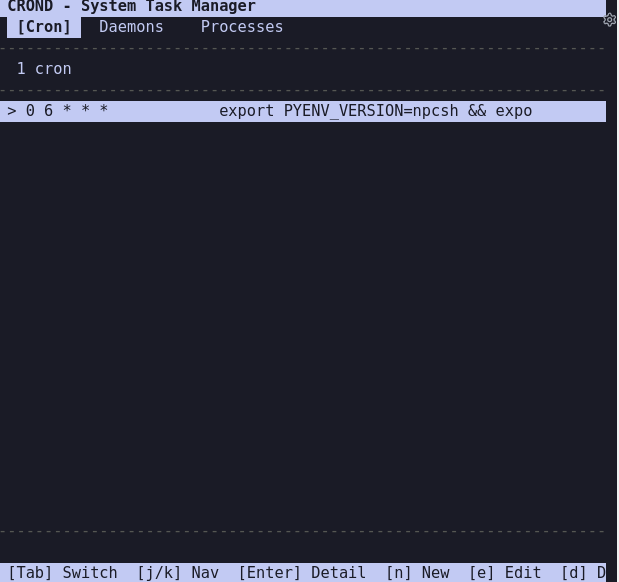
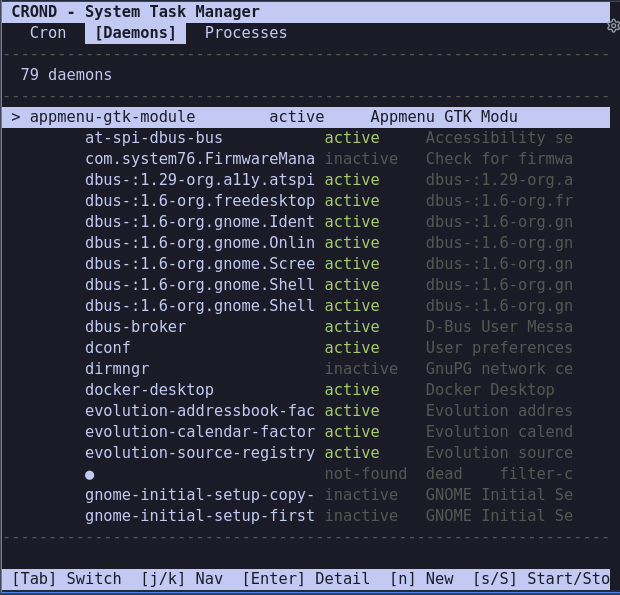
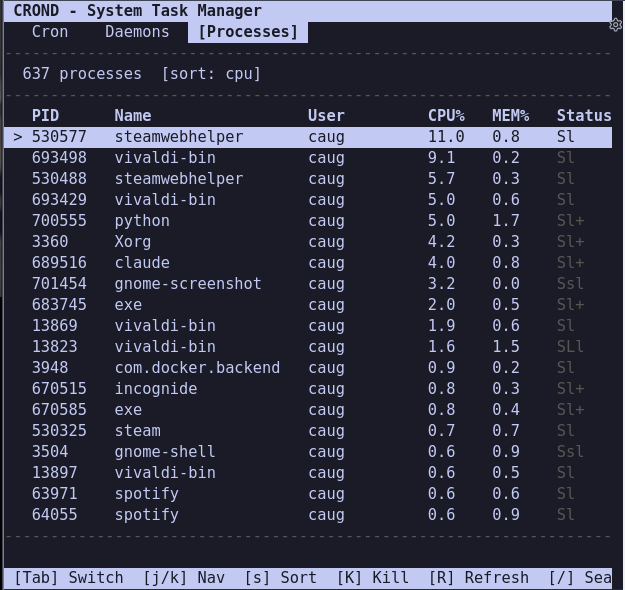
/crond — System Task Manager
Multi-tab TUI for managing cron jobs, systemd user daemons, and system processes. Create new cron jobs and daemons using natural language, start/stop/restart services, kill processes, and monitor resource usage.
Memory & Knowledge Graph
npcsh maintains a memory lifecycle system that allows agents to learn and grow from past interactions. Memories progress through stages and can be incorporated into a knowledge graph for advanced retrieval.
Memory Lifecycle
Memories are extracted from conversations via the /extract_memories jinx and follow this lifecycle:
- pending_approval - New memories awaiting review
- human-approved - Approved and ready for KG integration
- human-rejected - Rejected (used as negative examples)
- human-edited - Modified by user before approval
- skipped - Deferred for later review
Memories
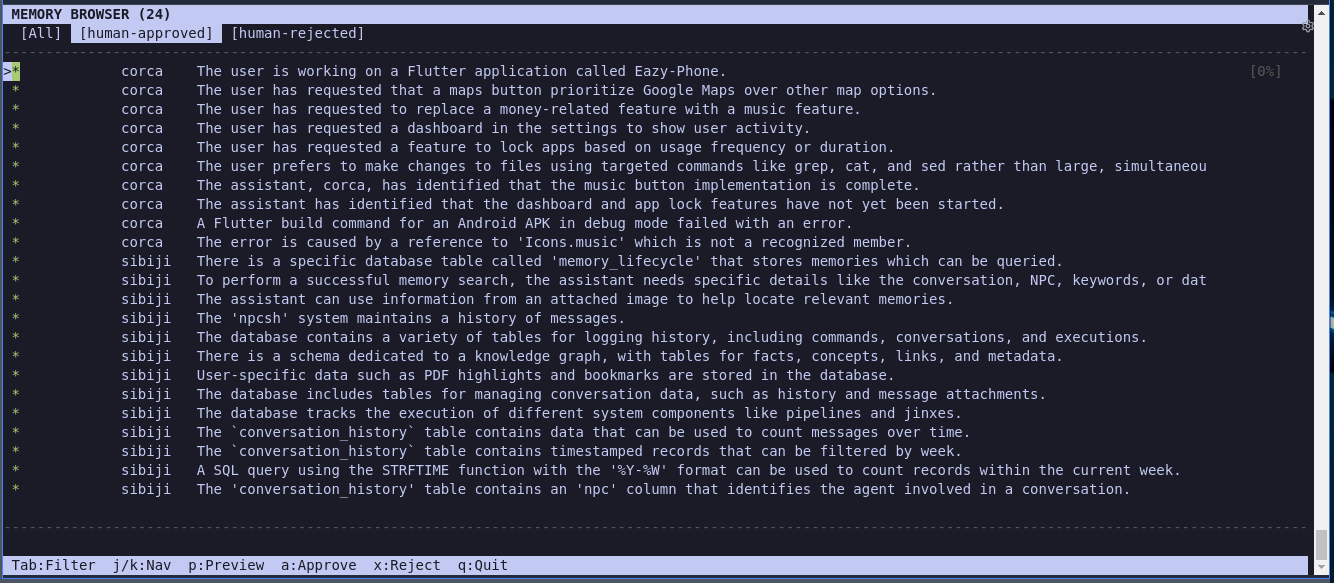
The /memories command opens an interactive TUI for browsing, reviewing, and managing memories:
The TUI provides:
- Tab-based filtering — switch between All, Pending, Approved, Rejected, etc.
- Approve/Reject — press a to approve, x to reject
- Preview — press Enter to see full memory content
- Session stats — tracks approvals/rejections during session
Knowledge Graph
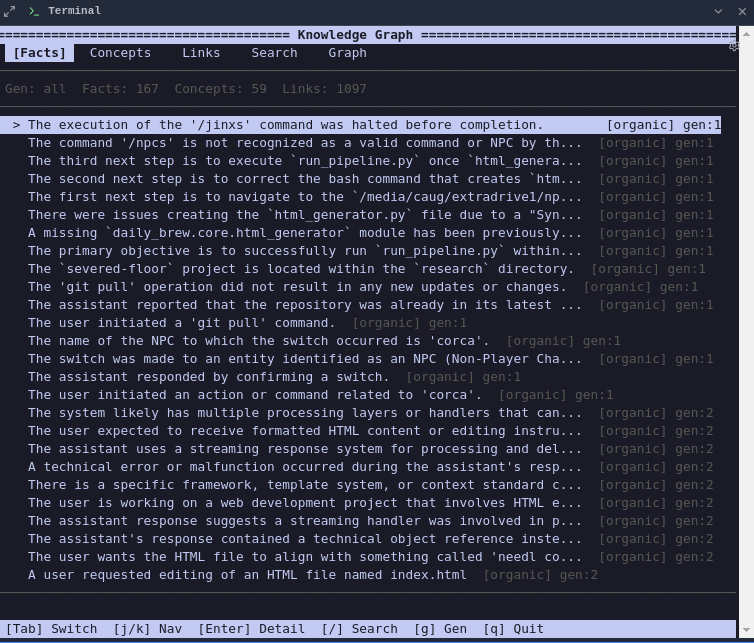
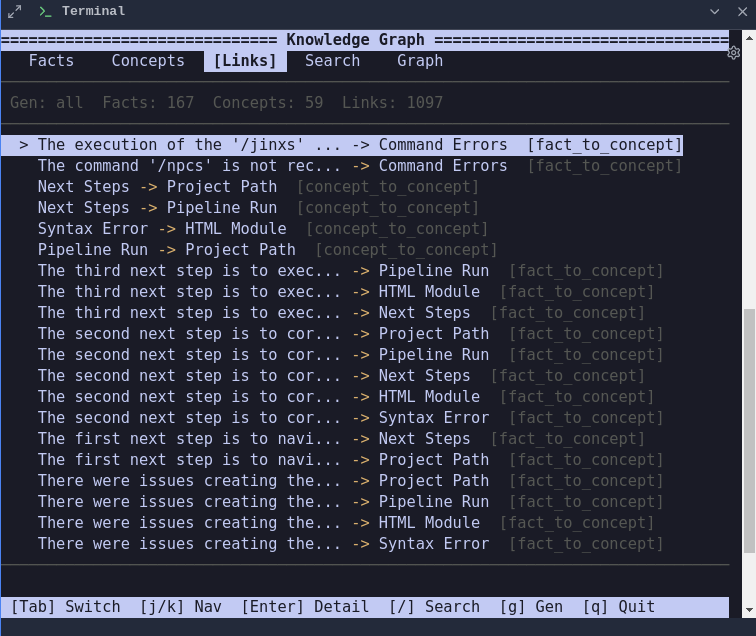
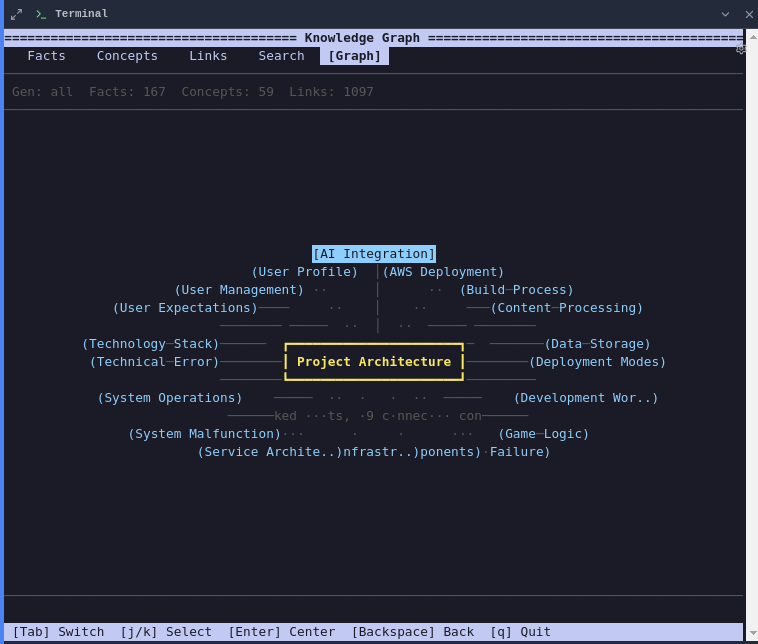
The /kg command opens an interactive browser for exploring the knowledge graph:
/kg                     # Browse facts, concepts, links, search, graph view
/kg sleep               # Evolve KG through consolidation
/kg dream               # Creative synthesis across domains
/kg evolve              # Alias for sleep
/kg sleep backfill=true # Import approved memories first, then evolve
/kg sleep ops=prune,deepen,abstract  # Specific operations
The TUI browser has 5 tabs: Facts, Concepts, Links, Search, and Graph — navigate with Tab, j/k, and Enter to drill into details.
Evolution operations (via /kg sleep or /sleep):
- prune — Remove redundant or low-value facts
- deepen — Add detail to existing facts
- abstract — Create higher-level generalizations
- link — Connect related facts and concepts
Serving an NPC Team
This exposes your NPC team as a full agentic server with:
- OpenAI-compatible endpoints for drop-in LLM replacement
- POST /v1/chat/completions - Chat with NPCs (use agent param to select NPC)
- GET /v1/models - List available NPCs as models
- NPC management
- GET /npcs - List team NPCs with their capabilities
- POST /chat - Direct chat with NPC selection
- Jinx controls - Execute jinxes remotely via API
- Team orchestration - Delegate tasks and convene discussions programmatically
Installation
npcsh is available on PyPI and can be installed using pip. Before installing, make sure you have the necessary dependencies installed on your system.
Linux
# Audio dependencies (skip if you don't need TTS)
sudo apt-get install espeak portaudio19-dev python3-pyaudio
sudo apt-get install alsa-base alsa-utils libcairo2-dev libgirepository1.0-dev ffmpeg

# Ollama
curl -fsSL https://ollama.com/install.sh | sh
ollama pull qwen3.5:2b

pip install 'npcsh[lite]'
macOS
brew install portaudio ffmpeg pygobject3 ollama
brew services start ollama
ollama pull qwen3.5:2b

pip install 'npcsh[lite]'
Windows
Download and install Ollama and ffmpeg, then:
Configuration
When initialized, npcsh generates a .npcshrc file in your home directory:
export NPCSH_CHAT_MODEL=qwen3.5:2b
export NPCSH_CHAT_PROVIDER=ollama
export NPCSH_DEFAULT_MODE=agent
export NPCSH_EMBEDDING_MODEL=nomic-embed-text
export NPCSH_EMBEDDING_PROVIDER=ollama
export NPCSH_STREAM_OUTPUT=1
API keys go in a .env file or your shell config:
export OPENAI_API_KEY="your_openai_key"
export ANTHROPIC_API_KEY="your_anthropic_key"
export GEMINI_API_KEY="your_gemini_key"
Individual NPCs can use different models and providers by setting model and provider in their .npc files.
Project Structure
The global team lives in ~/.npcsh/npc_team/. You can also create a project-specific team by adding an npc_team/ directory to any project — npcsh picks it up automatically and overlays it on the global team.
npc_team/
├── jinxes/
│   ├── modes/            # TUI modes (deep_research, mcp_shell, computer_use, guac, kg, yap, etc.)
│   ├── skills/           # Skills — knowledge-content jinxes
│   │   ├── code-review/  # SKILL.md folder format
│   │   │   └── SKILL.md
│   │   ├── debugging/
│   │   │   └── SKILL.md
│   │   └── git-workflow.jinx  # .jinx format
│   ├── lib/
│   │   ├── core/         # Core tools (python, sh, sql, skill, edit_file, delegate, etc.)
│   │   │   └── search/   # Search tools (web_search, db_search, file_search)
│   │   ├── utils/        # Utility jinxes (set, compile, serve, teamviz, etc.)
│   │   ├── browser/      # Browser automation (browser_action, screenshot, etc.)
│   │   └── computer_use/ # Computer use (click, key_press, screenshot, etc.)
│   └── incognide/        # Incognide desktop workspace jinxes
├── models/               # NQL SQL models
│   ├── base/             # Base statistics models
│   └── insights/         # Models with nql.* AI functions
├── assembly_lines/       # Workflow pipelines
├── sibiji.npc            # Orchestrator NPC
├── corca.npc             # Coding specialist
├── ...                   # Other NPCs
├── mcp_server.py         # MCP server for tool integration
└── npcsh.ctx             # Team context (sets forenpc, team name)